Download BattBoss Setup
Thank you for your interest in trying BattBoss!
Windows Defender SmartScreen Warning
When you run BattBossSetup.exe, you may see a Windows Defender SmartScreen warning indicating that the program is unrecognized. This is normal for new software that hasn't yet built up a reputation with Microsoft's systems.
Your Safety is Important
BattBoss is completely safe to install and use. The SmartScreen warning appears simply because the program is new and hasn't been downloaded by many users yet.
If you have any concerns about the safety of the program, you're welcome to scan BattBossSetup.exe with your preferred antivirus software before running it. We encourage security-conscious practices!
As more users download and install BattBoss, the SmartScreen warning will gradually disappear.
If you see the SmartScreen warning:
- Click on "More info" in the warning dialog
- Click the "Run anyway" button that appears
- Follow the installation wizard to complete setup
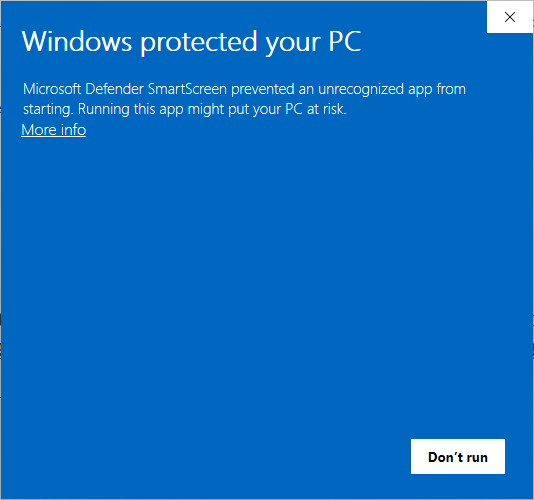
Example of Windows SmartScreen warning and "More info" option
Pre-release version • Free to use